

How workspaces work
When you sign up for Lope, a workspace is automatically created for you. The default name is based on your profile (e.g., “Sarah’s Workspace”). You can rename it at any time from the workspace settings.What a workspace contains
- Team members — People you invite to collaborate
- Teamspaces — Collaboration containers that organize your clients and jobs
One workspace per organization
Each user belongs to one workspace. If you’re a recruiting agency with multiple teams, or a freelance recruiter working with different clients, you organize everything inside that single workspace using teamspaces.Workspace membership
- Admin — The user who created the workspace (or the first user to complete signup) is the workspace admin.
- Invited members — You invite team members by email. When they accept, they join your workspace and gain access based on the teamspaces and clients they’re added to.
Inviting team members
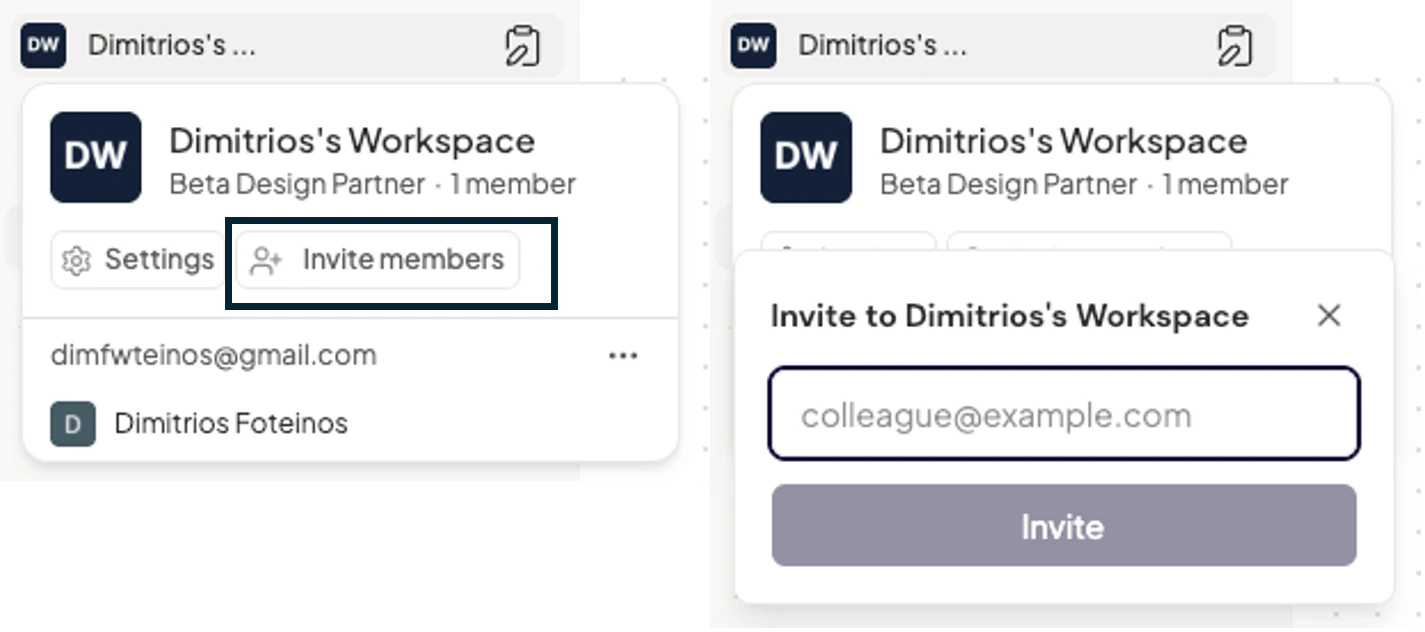
Workspace settings
From the workspace dropdown, you can:- Rename the workspace.
- Change the workspace photo (logo).
- Invite team members.
- View or leave the workspace (members can leave; creators can delete the workspace).
Hierarchy overview
Your workspace sits at the top of Lope’s structure: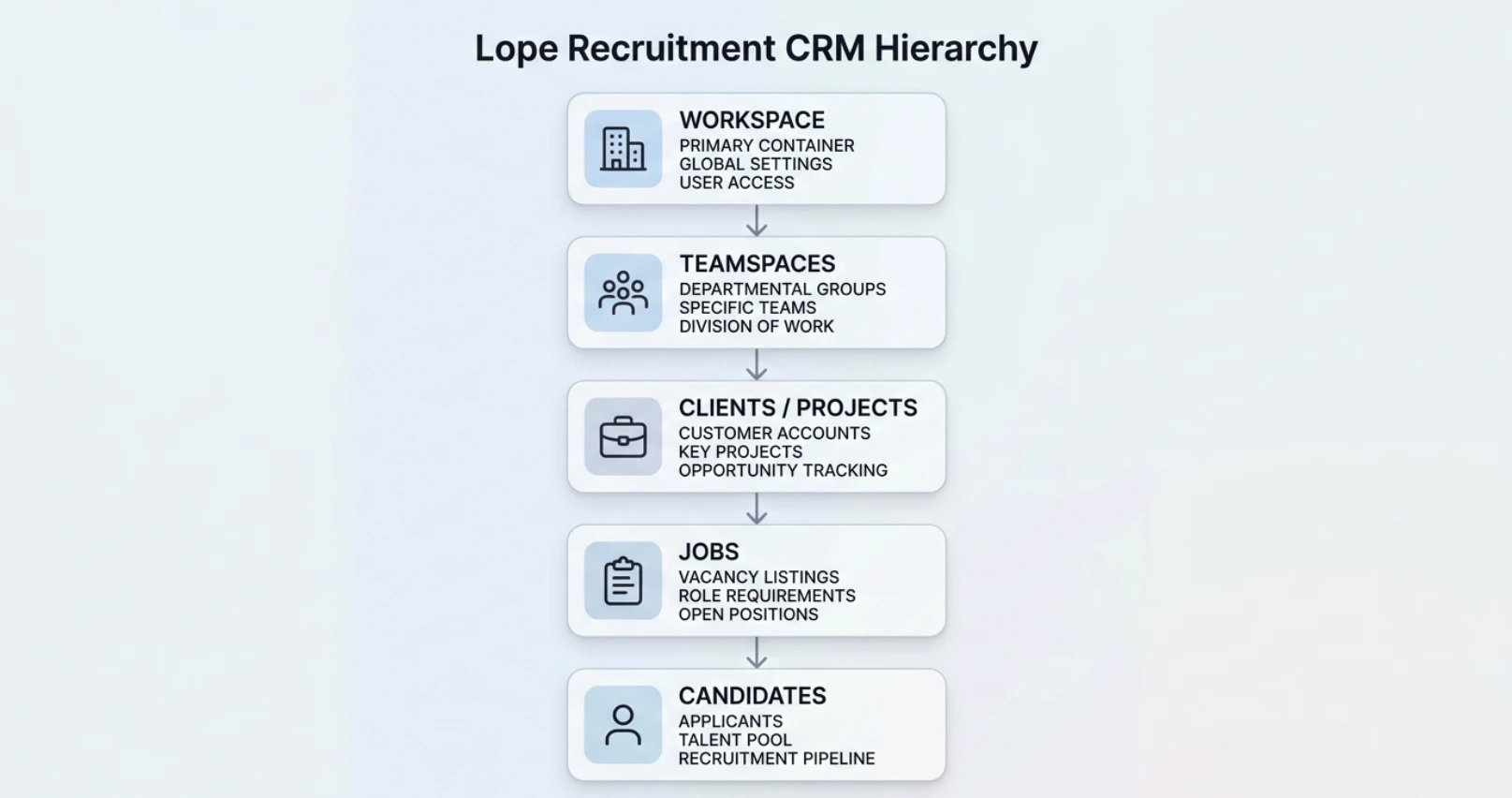
Multi Workspace functionalities are not supported yet. If you have any inquire or custom capabilities support, please contact: support@withlope.com